-
Who this checklist is for
-
Step 1: Start with the room, not the device
-
Step 2: Trace the warranty path before you buy
-
Step 3: Run the alternative comparison on your terms
-
Step 4: Check what it talks to
-
Step 5: Budget for the equipment that keeps equipment clean
-
Step 6: Lock down storage before the first device arrives
-
Step 7: Get the approval chain in writing before the PO
-
Notes and common mistakes
Who this checklist is for
I manage procurement for a 140-person company—office supplies, furniture, software, and since 2022, a small employee recovery room. When HR first asked me to buy "a couple of massage guns," I figured it was a simple order. Pick the brand with the best reviews, negotiate a bulk discount, done.
That was wrong.
The buying part took two days. The keeping-it-running part took two months. Between warranty routing confusion, a device that walked out of an unlocked cabinet, and a cleaning schedule nobody owned, I learned that health-tech procurement is roughly 20% product and 80% process.
This is the checklist I now use. Seven steps. The first three are about the device itself. The last four are about everything around it—which is where the real budget leaks.
Step 1: Start with the room, not the device
Before you look at models, write down: who uses the room, how often, and what they need it for. Our firm has a mix of desk workers with back tension and a handful of runners who wanted post-run recovery. Those are different use cases. The desk workers needed something portable with a low noise floor. The runners wanted deeper amplitude and a longer battery.
We ended up standardizing on the Theragun Pro, mostly because the battery life held up across a full day of shared use—and because the model range meant we could add a Mini for the "borrow and take home" crowd without buying into a second ecosystem.
Checkpoint: if you can't describe your primary user in one sentence, you're not ready to order.
Step 2: Trace the warranty path before you buy
This is the step most buyers skip. I know I did.
Our first order was a mixed batch—some units from a US seller, some from a UK reseller. When one device developed a rattling gear after eight months, I assumed warranty was warranty. It wasn't. The US units had to be shipped back to the US at our cost. The UK units went to a domestic repair center and came back in eleven days.
For the Theragun Pro 5th Gen specifically, I'd treat the warranty question as two separate questions: what's covered, and where does it go. Theragun's published terms as of early 2025 list a two-year warranty on the device body, with exclusions for normal wear—but check the current terms, because these things change. The routing depends on where you bought it. If you're buying in the UK, ask the reseller two questions in writing: (1) Is this an authorized UK unit? (2) What's the return address for a repair claim?
I'm not 100% sure whether the UK Consumer Rights Act gives business buyers the same protections as consumers—take that up with your finance team. But from an operational standpoint, the routing question has a clear answer: buy through a UK distributor if you want domestic repair logistics. The few pounds you save importing usually come back as shipping costs.
Checkpoint: get the warranty terms and repair address in writing before the PO goes out.
Step 3: Run the alternative comparison on your terms
The search results for "Bioblade vs Theragun" mostly compare spec sheets. That's not useful for an office buyer. At our scale, the comparison is about shared-use durability and accessory ecosystem, not peak amplitude.
I tested a Bioblade unit for three weeks alongside one of our Theraguns. My honest take: the Bioblade felt slightly lighter and easier to pass hand-to-hand, and the price point was lower—somewhere in the $150-200 range as of Q1 2025 pricing, though that varies. The Theragun had the edge on sustained battery and on the accessory range (we wanted a wedge attachment for shoulder blades, which was easier to source).
Neither one was a clear winner. What mattered was the support network. When our Theragun needed a replacement part, I had a UK contact. I didn't have the same for the Bioblade.
Checkpoint: compare on your two or three actual use cases, then pick the one where you can get a human on the phone when something breaks.
Step 4: Check what it talks to
Most percussion devices don't need a hub. But if you're installing them in a room that already has a smart control system—say, a TCC Smart Hub or similar building automation layer—you want to know whether the new equipment creates any conflict. This is fairly mundane stuff: power draw, whether the outlet is on a timer, whether the room's climate control needs adjusting.
We didn't have a hub when we started. We added one in 2024 during a building refresh. The only Theragun-related adjustment was putting the charging dock on a non-timed circuit so devices weren't dead on Monday mornings. Small thing. Took me three weeks to figure out why the batteries were low every week.
Checkpoint: if your space has a control layer, confirm that the device's charging setup fits the schedule.
Step 5: Budget for the equipment that keeps equipment clean
This is the one nobody warns you about. Shared recovery devices get used after workouts. They get used by people who don't shower first. The cleaning isn't optional.
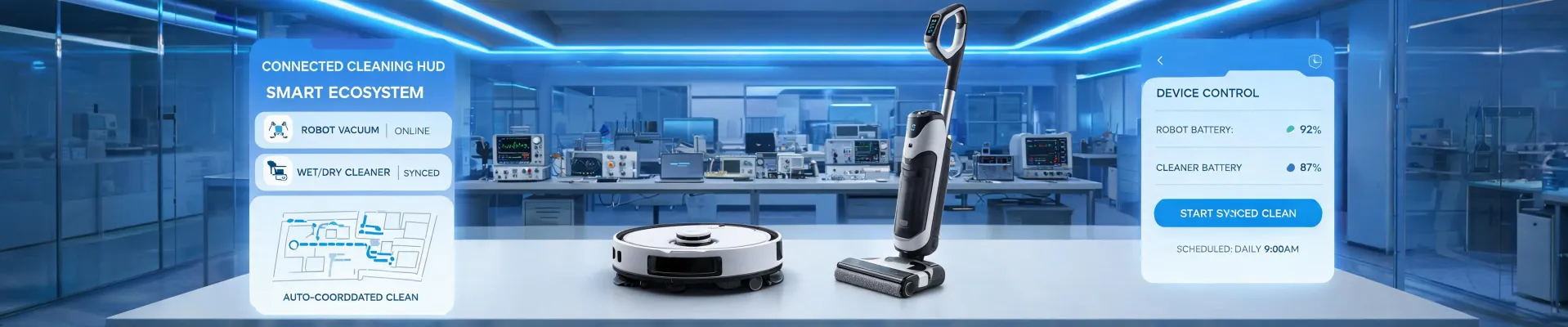
We tried to make it a manual schedule. That lasted about a month. What actually worked was removing the friction: a robot vacuum that runs after hours and a locked cabinet for storage. We ended up with the Shark PowerDetect NeverTouch Pro for the floor—partly because the self-emptying base meant nobody had to remember to empty a bin. Does a $600-ish vacuum (as of Q1 2025 pricing) sound like a lot for a recovery room? It does. But it replaced a weekly manual job that nobody wanted.
Checkpoint: budget 10–15% of your device cost for upkeep and cleaning. If that number feels high, you haven't accounted for who's actually doing the work.
Step 6: Lock down storage before the first device arrives
Our first month, a Theragun disappeared from an unlocked cabinet. The replacement cost was $399. That's when I added a smart lock.
A smart lock on a storage cabinet isn't overkill—it's the difference between an asset you can track and one you can't. We use the Eufy Smart Lock because it integrates with the app we already had for the office door. If you're setting one up for a cabinet, here's the short version of how to lock an Eufy Smart Lock in our setup:
- Pair the lock with the Eufy app and run the calibration step. The deadbolt throw needs to be exact—if it's off, auto-lock will jam halfway.
- Create team-level access codes, not individual ones. When someone leaves the company, you rotate one code instead of chasing five people.
- Turn on auto-lock with a 30-second delay. To lock the door manually, press the lock button on the keypad or use the app's one-tap lock. Check the bolt status in the app—I've seen it read "locked" when the bolt wasn't fully extended.
Checkpoint: don't order devices until the cabinet has a lock and someone owns the code rotation.
Step 7: Get the approval chain in writing before the PO
The cheapest mistake in procurement is the "trial unit" that never gets returned. We had a $600 device sit on a desk for nine months because nobody had signed off on the return process.
Before I place any health-tech order now, I get three things in writing: (1) the approval for the purchase amount, (2) the named person who owns the device, and (3) the return window and process. That last one matters more than the first two. If you can't return it, you've already bought it.
Checkpoint: if the approval email doesn't mention the return window, it's not an approval—it's a wish.
Notes and common mistakes
Three things I'd flag for anyone using this list:
One, don't treat the warranty as a checkbox. The length of the warranty and the routing of the warranty are different risks. The first one is marketing. The second one is logistics.
Two, the total cost number gets inflated fast if you don't count staff time. Every hour someone spends cleaning, charging, or chasing a missing device is a cost. The cheapest option in a catalog can become the most expensive line in your budget if it needs more babysitting.
Three, don't buy all your devices at once. Buy two, use them for thirty days, then order the rest. You'll learn more in that month than in any spec sheet.
I'm not saying these are universal rules. They're what worked for us. Your use case—and your finance team—may vary.

Andre Ribeiro
Andre Ribeiro is a laundry and dishwashing appliances analyst specializing in front-load, top-load, twin-tub, and portable washers, washer-dryer combinations, heat-pump dryers, condenser dryers, and residential dishwashers. He uses IEC 60456, IEC 61121, IEC 62512, and IEC 60436 while measuring cleaning, rinsing, water extraction, drying, cycle time, energy, water use, load capacity, vibration, and low-power modes. His evaluations help brand owners, retailers, QA teams, and buyers compare program performance, installation requirements, fabric or tableware care, utility costs, serviceability, and model-line positioning.